

Public booking
Courier comparison
Quote, compare, book, pay, and complete a shipment journey.
Interactive logistics product demos
Four connected mini apps showing how Warsash approaches modern logistics software: public quote and booking, internal shipment operations, customer self-service, and live-style tracking and exception monitoring.
Each demo is hosted on its own Warsash subdomain and uses demo data so the workflows feel commercially real without relying on live carrier or payment infrastructure.
Public booking
Courier comparison
Quote, compare, book, pay, and complete a shipment journey.
Internal operations
Shipment portal
Dashboards, manifests, exceptions, and operational drill-down screens.
Customer self-service
Account portal
History, documents, tracking, rebooking, and issue visibility for account customers.
Live-style monitoring
Command-centre
Events, risk, carrier health, and exception queues for busy logistics teams.
The suite shows how bookings enter a platform, how internal teams operate it, how customers self-serve after onboarding, and how exceptions are monitored in flight.
Each app is designed to feel credible, with demo data, believable workflows, and the right level of operational detail for a short demo.
Carrier choices, status models, manifests, tracking events, exceptions, customer accounts, and repeat-shipping workflows all sit inside a logistics context rather than a generic SaaS template.
How the apps connect
Taken together, the suite shows how a shipment can move from public acquisition through operational handling, customer visibility, and exception monitoring. That is the level of joined-up product thinking many logistics businesses need when replacing fragmented legacy software.
The public-facing demo proves the front end of a shipping product: route entry, service comparison, booking flow, payment, and completion.
The operations portal shows what happens after booking: dashboards, queues, manifests, shipment detail, tracking history, and internal oversight.
The customer portal demonstrates how a logistics business can reduce support load by giving account customers direct access to their shipping activity, documents, and repeat-booking tools.
The command-centre turns tracking and service health into a live-style operational view so teams can see what needs attention right now.
Explore the suite
Use the demos individually or as a guided walkthrough depending on whether the conversation starts with acquisition, operations, customer experience, or exception management.
Each card includes a responsive screenshot preview so the interface is visible before you open the live demo.
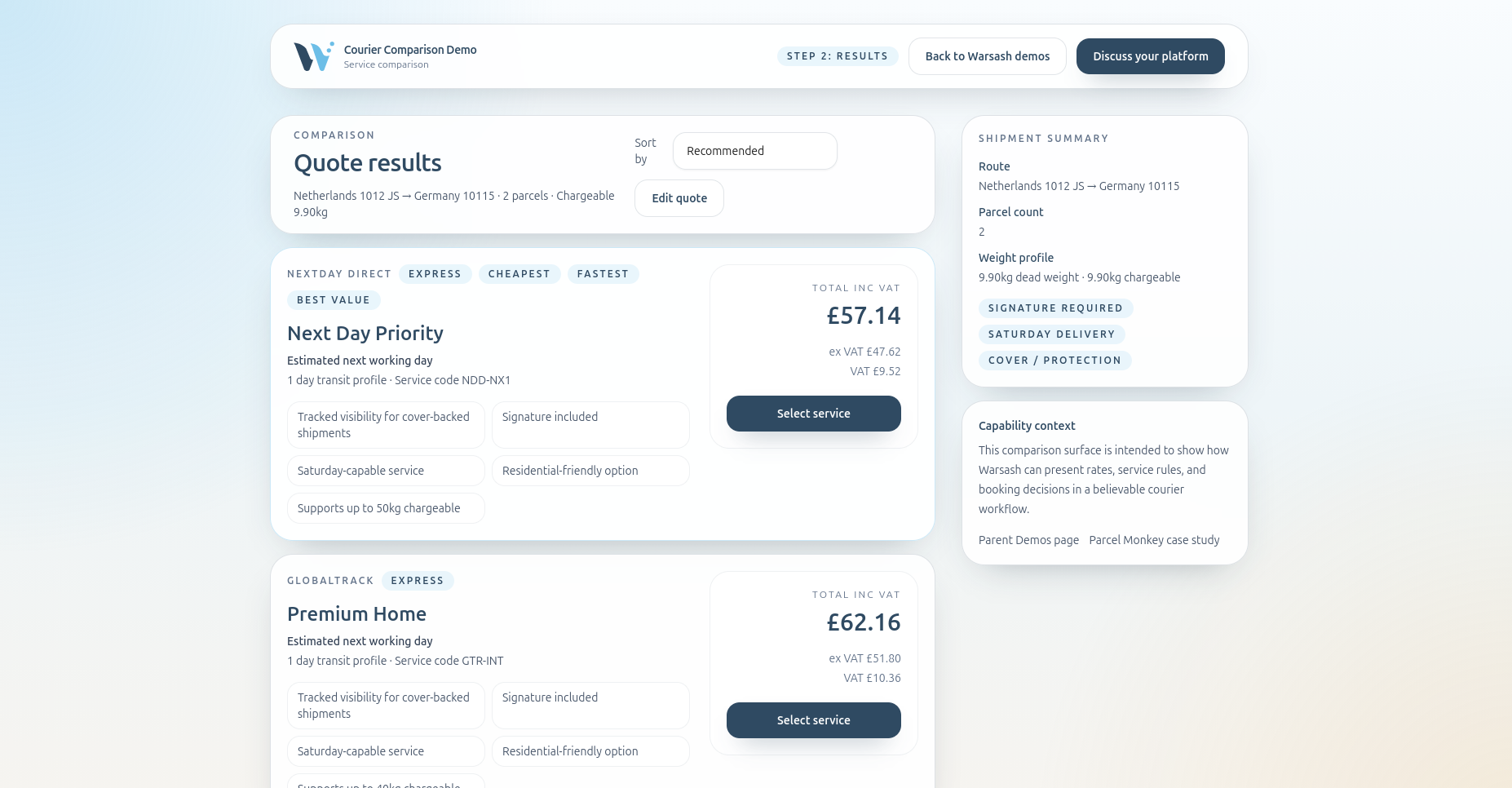
Public booking journey
Shows the front-end shipping experience for a multi-carrier product. Visitors can enter a shipment, compare deterministic services, move through booking, complete a mock payment, and land on a polished completion state.
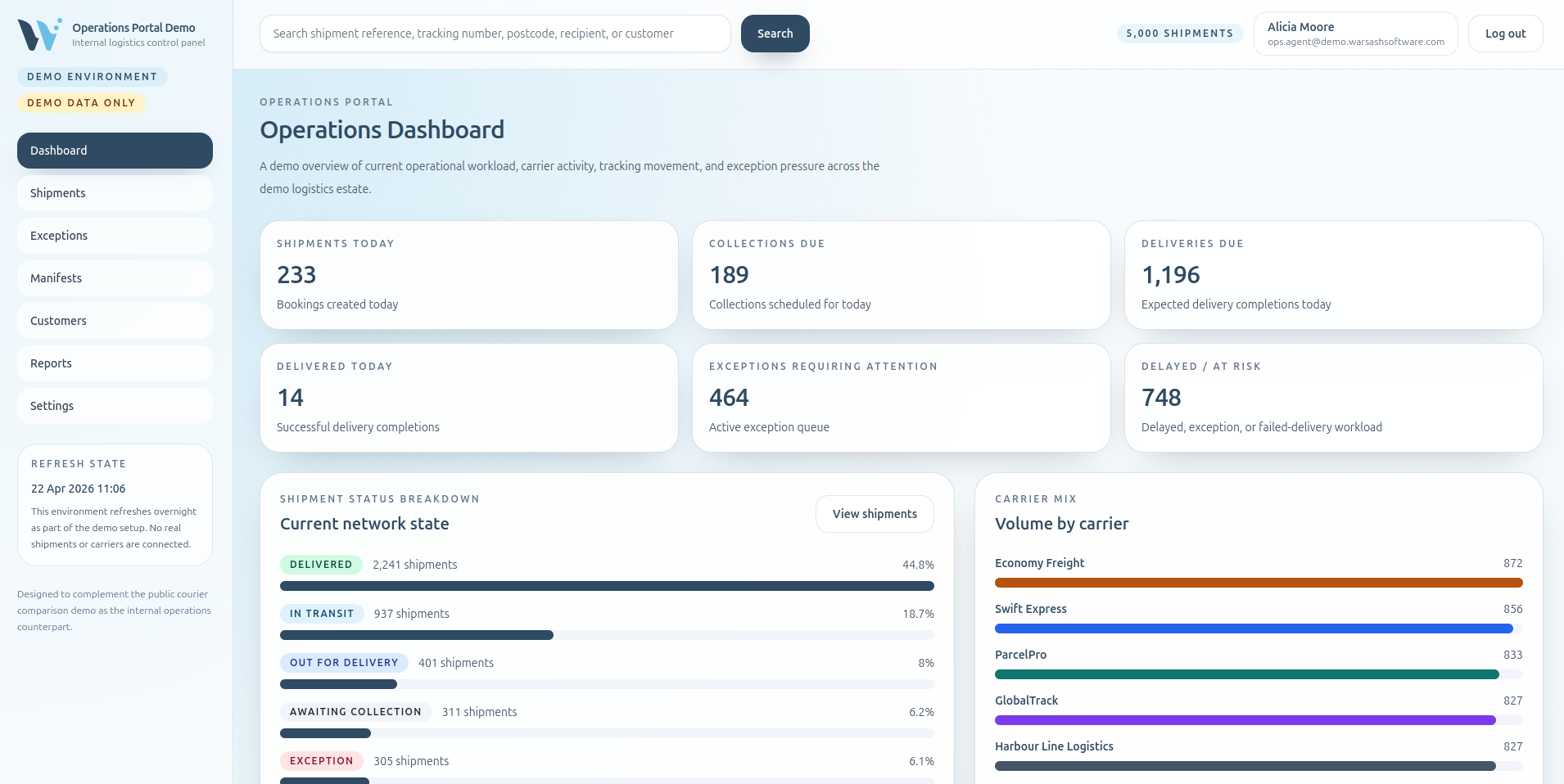
Internal logistics portal
Shows the back-office system used by operations and customer service teams once shipments are in the platform. The demo is filled with realistic operational data so dashboards, queues, and detail screens feel busy and commercially believable.
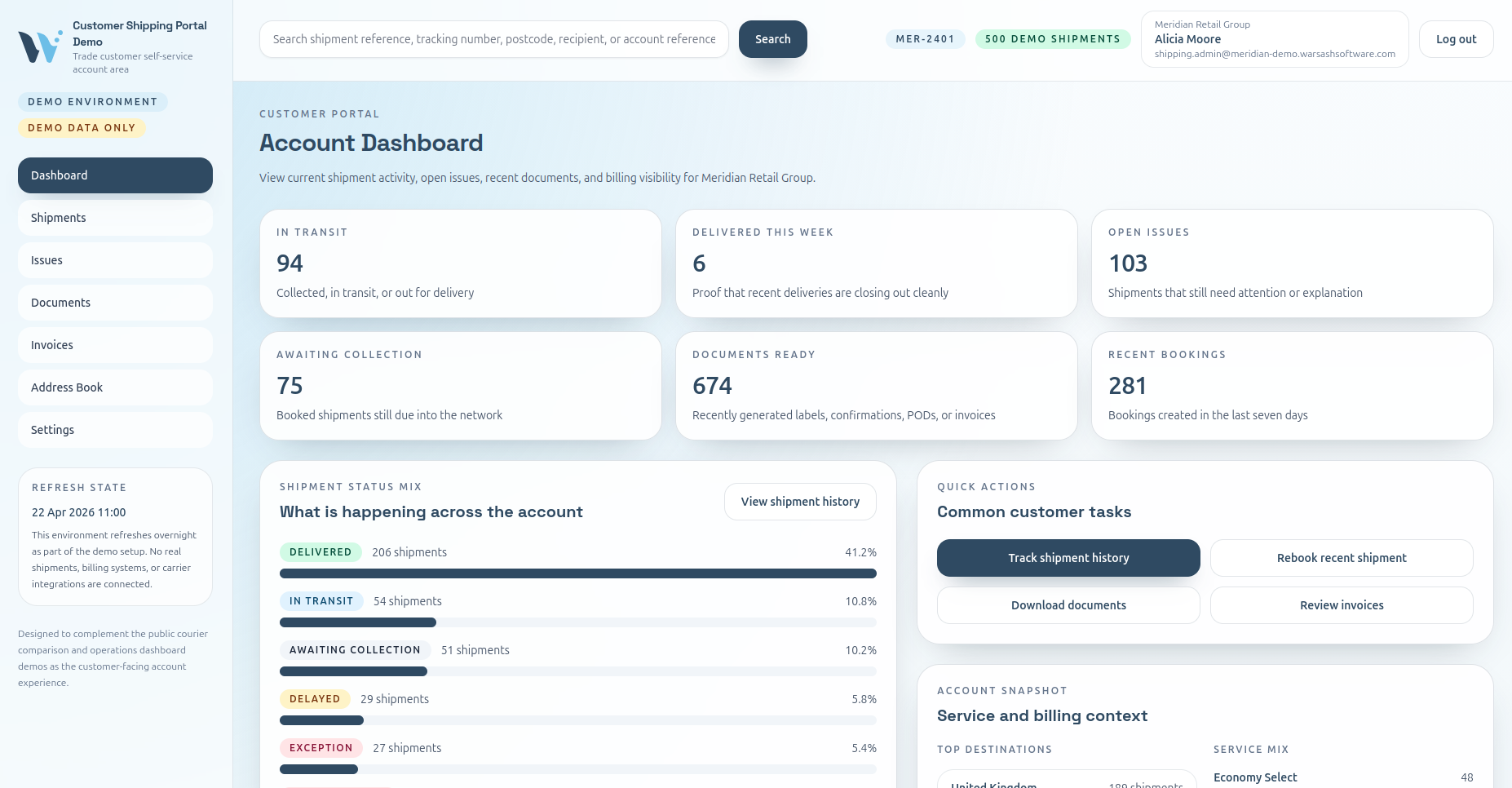
Customer account experience
Shows the logged-in portal a courier reseller, freight business, or shipping platform can offer its own customers. It is designed around the practical day-to-day questions business users ask without pushing them back into email-heavy support workflows.
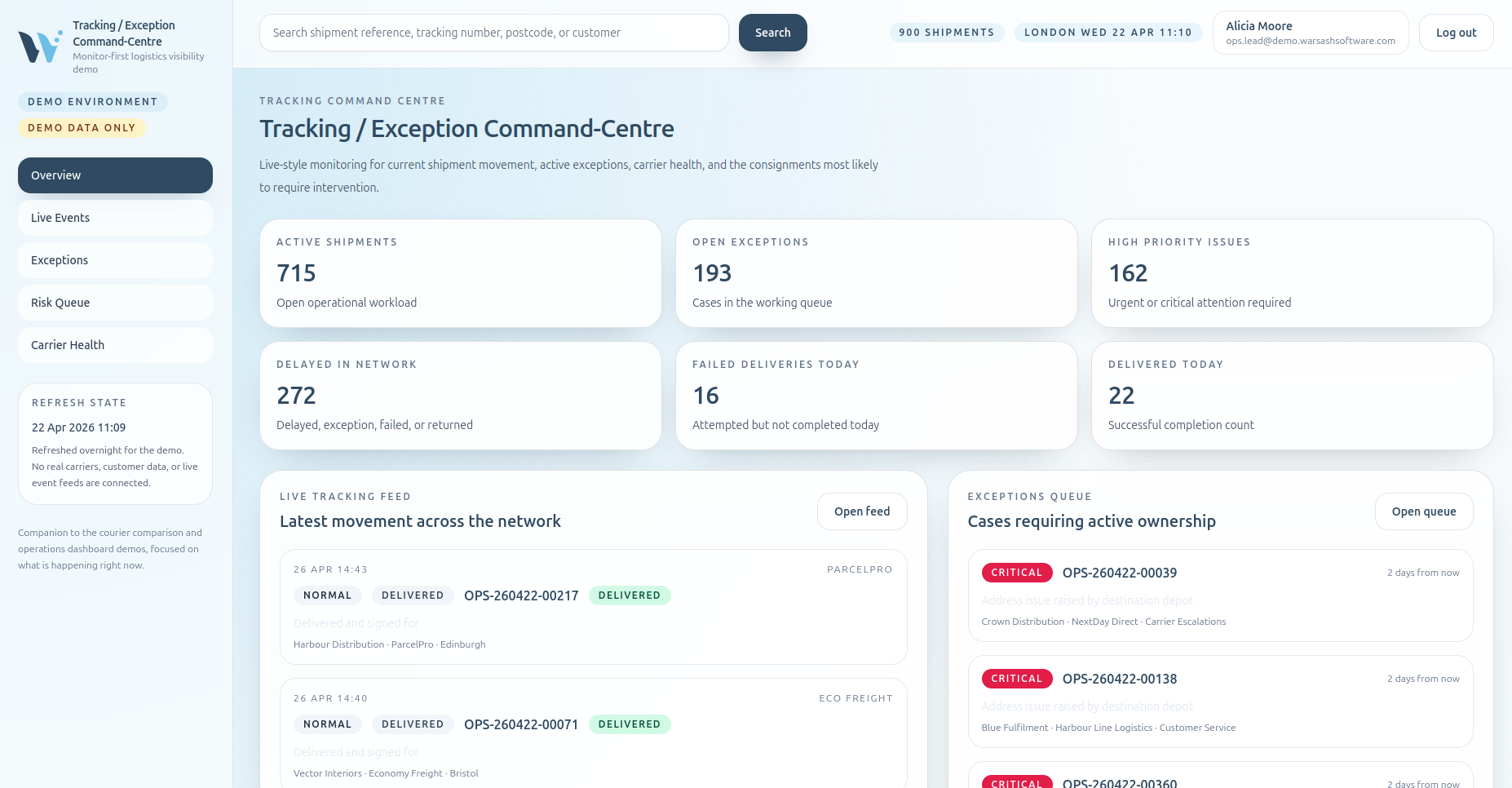
Operational monitoring
Shows a live-style monitoring interface for teams who need to see what is happening in the network right now. It is designed as a command view rather than a generic admin, surfacing risk, delay, and carrier-health signals quickly.
These demos are aimed at courier aggregators, freight businesses, shipping resellers, ecommerce operators with shipping edge cases, and teams modernising older operational portals.
The suite is intentionally scoped so you can understand it quickly while still seeing credible operational depth: demo data, realistic statuses, believable exception handling, and UX shaped around how logistics teams actually work.
Warsash works on revenue-critical logistics software including public booking flows, internal operations portals, customer self-service areas, and monitoring tools. The demos are designed to show how those parts can hang together as one product.